Picostrap Keeps Getting Better: Local Fonts, Performance Improvements, and Automatic Updates

Choosing a theme means putting your time, your code, and a little trust into someone else’s work. We take that seriously.
Six years after Picostrap became a standalone theme, we’re still working on it. The latest update brings locally hosted fonts, performance fixes, a clearer workspace, and—finally—automatic updates through WordPress.
These are improvements for the next website you build, and for the work you’ll keep doing after launch. Here’s what we’ve been taking care of.
Your fonts.
Hosted on your site.
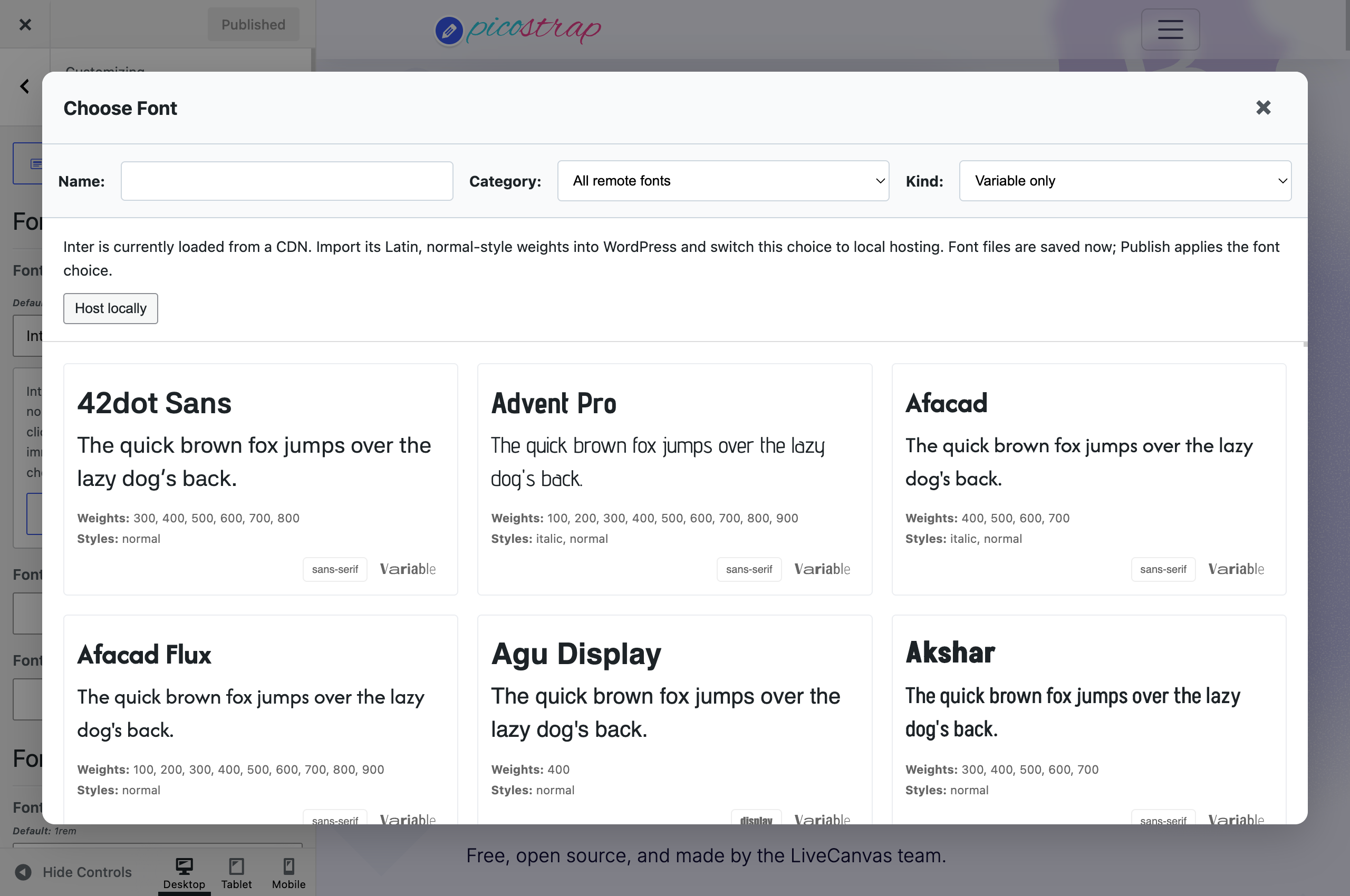
Found the right font? You can now bring it home without manually downloading files, writing font-face rules, and wiring everything together.
On WordPress 7.0 or later, choose a supported font in Picostrap’s typography picker, click Host locally, wait for the import and Sass compilation, then Publish. Picostrap imports the files into the WordPress Font Library, enables the family, and switches that selection to local hosting.
Your visitors then load those font files from your own site. Body text and headings remain independent: use hosted fonts for either role, or both.
Need your own files, italics, or additional language subsets? Add or manage fonts opens the native Font Library from the picker. A unified font-loading preview also makes it easier to see which declarations your site is producing.
The quick import includes Latin, normal-style weights. Use the Font Library for other variants. Importing downloads files from an external service; the selected fonts are subsequently served locally to visitors.
Small fixes.
A leaner foundation.
Some of the most useful work doesn’t need a new button. We revisited how Picostrap handles WordPress’s frontend extras and how the theme’s stylesheet is requested.
Emoji cleanup now covers modern WordPress hooks. We updated the removal of automatic emoji scripts and styles, alongside the existing cleanup of discovery markup and the automatic post-embed script. Normal content embeds and the REST API remain available.
CSS preload now matches the stylesheet URL and version. That helps the browser reuse the intended request. We also removed the blanket preload of the full Gutenberg block stylesheet, allowing modern WordPress to load block styles as needed, and stopped sending theme CSS preload hints for responses that don’t render it.
They’re small corrections with a practical purpose: avoid unnecessary frontend work and make resource loading more deliberate. The result on a particular site still depends on its content, plugins, hosting, and cache. Measure the finished site with your own content and interactions in place.
Finally,
automatic updates.
Yes, finally. Picostrap now delivers stable GitHub releases through the native WordPress theme updater. You can update from your dashboard and enable WordPress’s automatic theme updates where your installation allows them.
The integration works on WordPress 6.1+ with Picostrap or a Picostrap child theme active. It follows published stable releases, leaving drafts and prereleases out of the update feed.
We also took care of an important detail: before replacing the parent theme, the updater preserves its existing compiled CSS and source maps, including multisite bundles. If that preservation fails, it stops the update. Your current styling stays in place; Sass recompilation remains an explicit action.
Keep your PHP, templates, and Sass customizations in a child theme. The new Options panel can install our starter child theme directly; activation is a separate step.
Coming from an older release? Install a current version containing the updater first. Older versions cannot discover this integration retroactively, and CSS preservation requires the installed updater safeguard. Back up your site before that first manual upgrade.

A proper home for your theme tools.
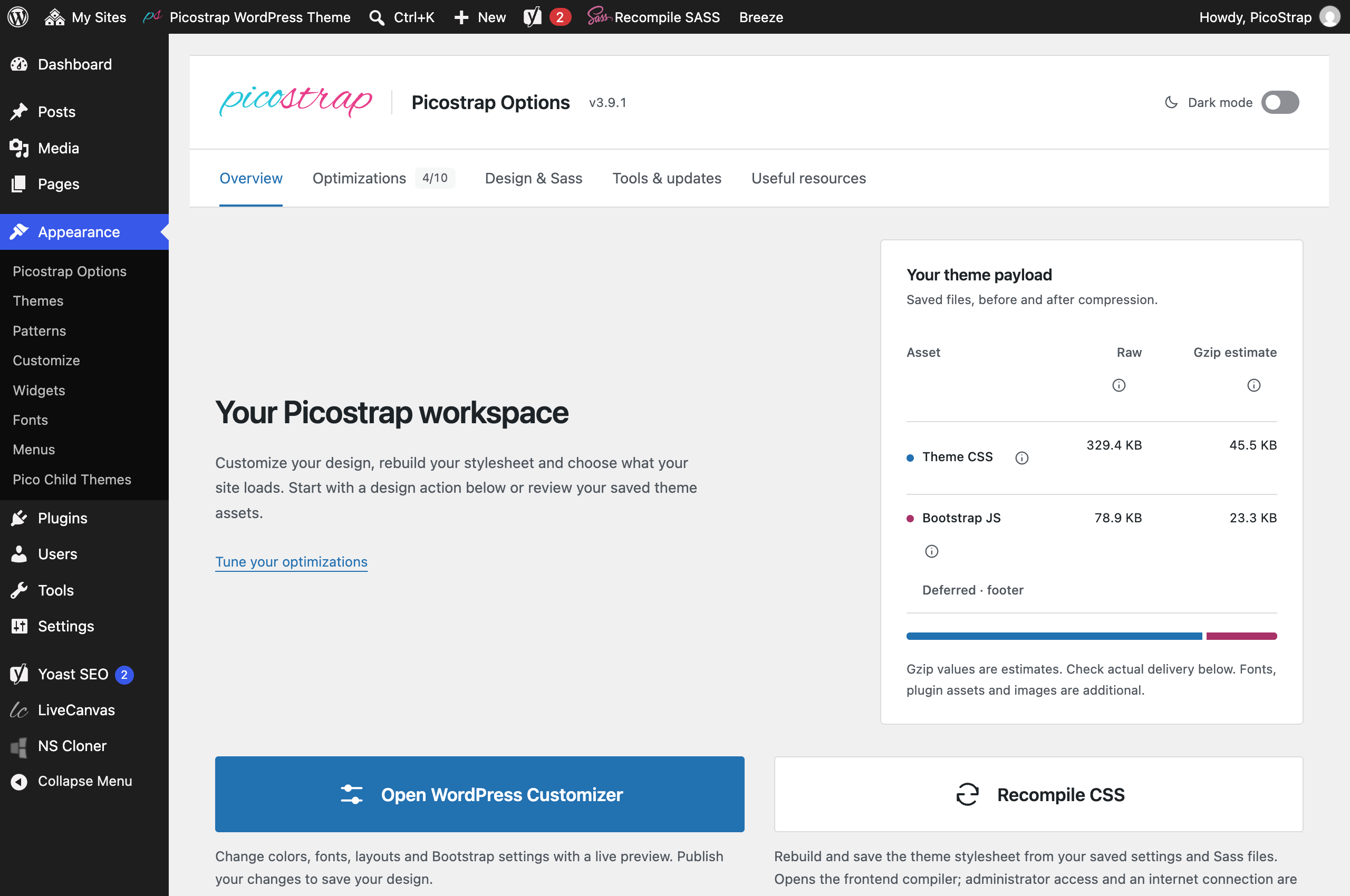
Picostrap Options has become a clearer place to manage the theme. The reorganized workspace puts design actions, frontend settings, inspection tools, and maintenance within easy reach.
Open the Customizer, recompile Sass, inspect the saved stylesheet, install the starter child theme, or export your theme settings and menus. Related optimization switches are grouped together, using the same settings as the Customizer.
The interface follows WordPress’s light admin styling, with an optional dark mode remembered in your browser. That preference belongs to the tools workspace; the visitor-facing dark-mode switch remains a separate choice.
More insight.
More control.
The overview shows your saved theme CSS and Bootstrap JavaScript sizes, gzip estimates, and a delivery check for HTTP compression. You can see what the theme produces and check how your server delivers it. The panel doesn’t turn on server compression itself.
Analyze homepage previews how much of the saved stylesheet a rendered homepage needs. Running the preview doesn’t change your settings.
There’s also an experimental, opt-in page-specific CSS reduction. It retains matching rules inline and includes a fallback that can restore the complete stylesheet when dynamic content needs it. Plugin stylesheets are separate.
A smaller candidate isn’t automatically a faster visit: cached external CSS can be reused between pages. Try the preview, then test navigation, forms, galleries, and repeat visits before deciding whether the feature suits your project.
The good stuff is still here.
The new tools build on the reasons we made Picostrap in the first place: direct access to your design system, readable source, and a workflow you can make your own. These are established favourites, still central to the theme.
Browser-based Sass
Compile with Dart Sass in your browser. No local Node toolchain required.
Bootstrap + NinjaBootstrap
Familiar components, useful defaults, and an extended utility toolkit.
A living styleguide
Preview the buttons, typography, and components your settings create.
Palette inspiration
Explore coordinated colors, then keep them in your Sass variables.
Your child theme
Extend the Sass pipeline and keep project code in your own files.
Built with LiveCanvas
Shape your pages visually while keeping the actual HTML within reach.
Built to keep working with you.
Our theme work began with Customstrap in 2018. Picostrap became independent in 2020, and it has kept evolving alongside WordPress, Bootstrap, and the projects you build. You can read more about that journey in our Picostrap v3 introduction.
We care about the exciting additions and the quieter maintenance: making fonts easier to manage, correcting resource loading, and making future updates less work. Looking after the foundation is part of building useful software.
Thank you for trusting Picostrap with your projects. Try the new tools, tell us what works, and show us where there’s still friction. Those details help us decide what deserves attention next.
— The LiveCanvas team
Further reading: Theme documentation & requirements · Picostrap 3.9.1 release notes · WordPress Font Library